Pensieve AIM · In development
Adaptive inference, grounded in evidence.
Automatic Intelligence Management is our first product in development. AIM is designed to match AI execution to each workload’s quality, latency, and cost requirements.
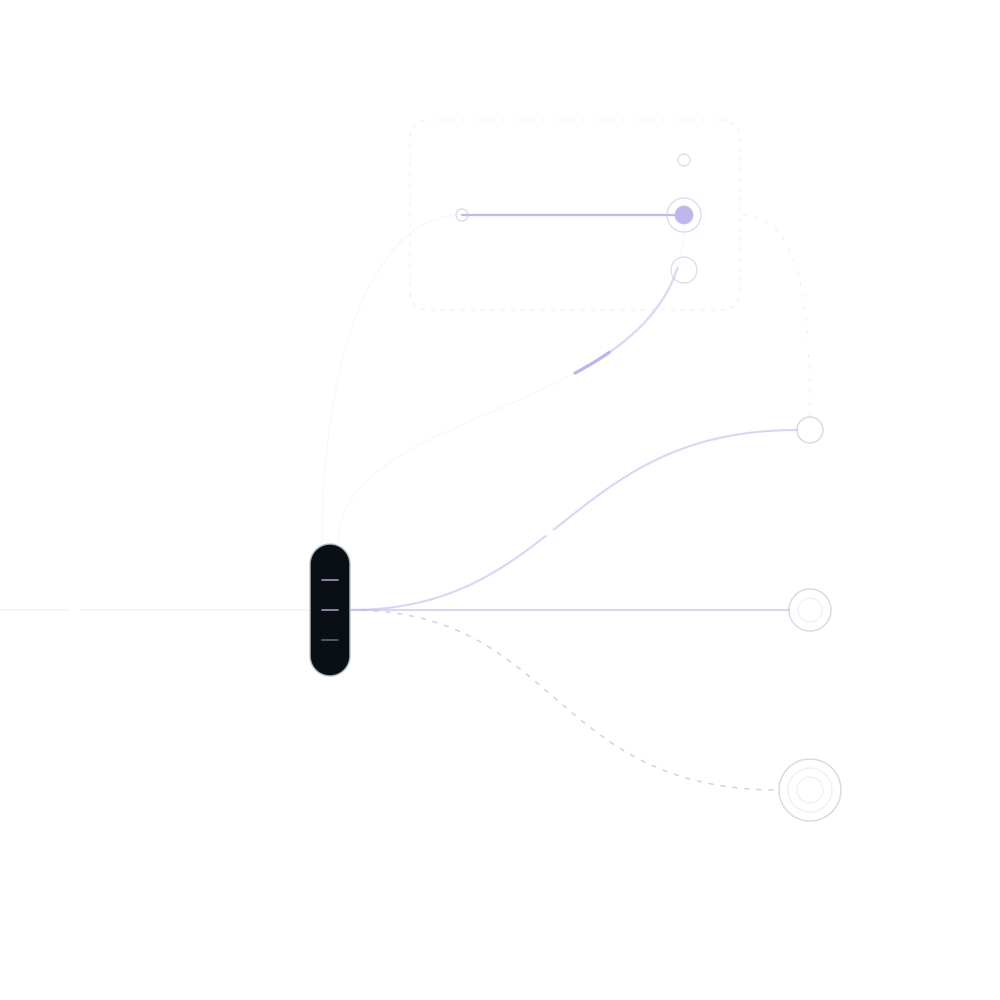
- Requests
- AIM runtime
- Background research
- Observed outcomes
- Execution options
- Approved fallback
01 How AIM works
Research runs in the background. The runtime applies validated policies.
As new evidence emerges, those policies can be tested and updated.
In the request path
The runtime applies the validated policy to every request.
- Recognizes the kind of work each request belongs to, and sends unfamiliar work to an approved fallback until there is enough evidence to optimize it.
- Applies the model, provider, inference settings, and context treatment the policy specifies.
- Keeps a task or session on its configuration by default, and weighs the cost of losing cached context before any switch.
- Falls back to a known, approved configuration if a decision can’t be made in time.
In the background
Research tests what could work better.
- Compares candidate configurations with your baseline, using the same task definitions and quality checks.
- Keeps shadow runs and replays isolated, so tests can’t make real business changes.
- Promotes a change only when the evidence threshold you set is met, then releases it gradually.
- Reopens evaluation when workloads, prompts, prices, or models change.
02 Your terms
You define success. AIM works within it.
AIM measures results against the definitions you set, tests better ways to run inference, applies the improvements you permit, and recommends changes on your side when the limit isn’t in the model.
-
What success means
Describe a good result for each workflow, including the mistakes that are never acceptable.
-
Operating limits
Set spending limits, response deadlines, and how to balance quality, cost, and speed.
-
Permitted choices
Name the models, providers, locations, and data-handling rules AIM may use.
-
Fixed choices
Pin a model or configuration, or exclude work from optimization, without bypassing required controls.
Choose how much AIM does—for each workflow and each type of change.
-
Observe
Measure quality, latency, and cost against your requirements.
-
Recommend
Propose changes, with the evidence behind them.
-
Experiment
Evaluate candidates in a controlled experiment.
-
Apply
Apply approved changes automatically, with rollback.
03 Equivalence
Name the reference you trust.
Point AIM at the configuration you rely on today. AIM binds that name to your success criteria, permitted choices, and operating limits, so an application can call the name alone.
AIM then reports whether delivered work meets the reference within an agreed tolerance, across a defined volume of work. Until there is enough evidence, it reports the uncertainty rather than a conclusion.
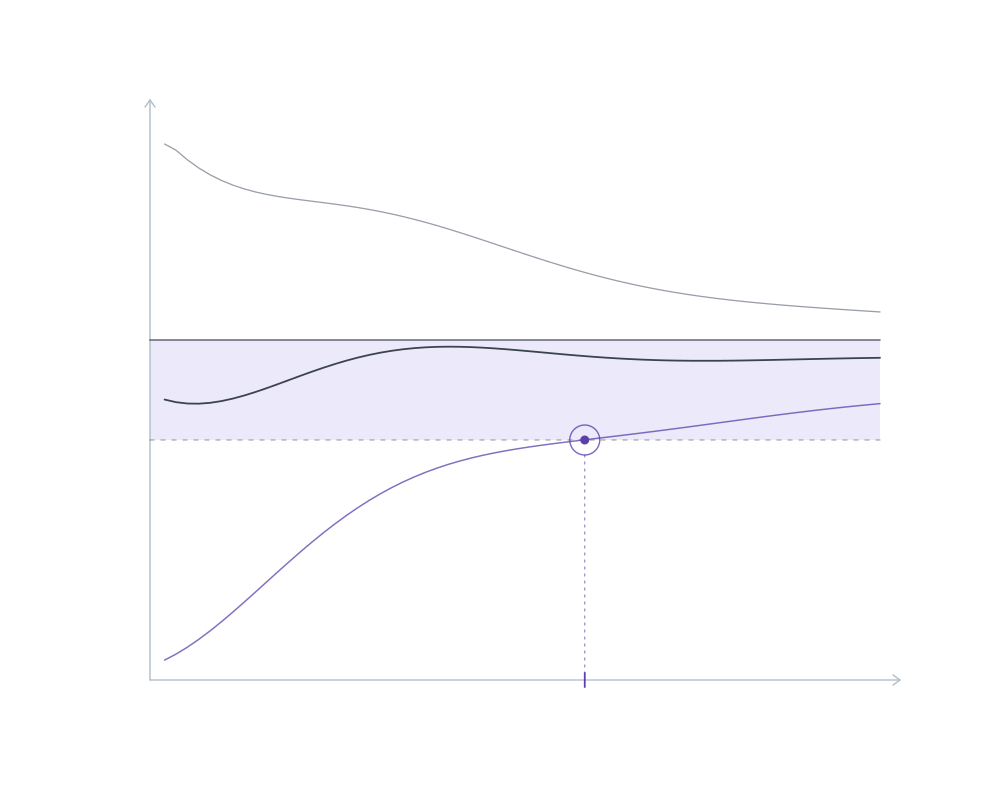
- Delivered quality
- Named reference
- Agreed tolerance
- Volume of work
04 Execution policy
Decisions you can inspect.
An execution policy is the versioned set of choices AIM applies to a kind of work: model and provider, inference settings, context treatment, and what happens when something fails.
Every runtime decision can be traced to the policy version that made it, and every policy version to the evidence that justified it.
-
Meet the task’s requirements
Evaluate quality and reliability against the outcomes that matter.
-
Use resources deliberately
Explore trade-offs among capability, response time, and cost.
-
Adapt as conditions change
Revisit execution choices as workloads and available models evolve.
From task to execution policy
Illustrative example
- Task
- Structured document extraction
- Requirements
- Field accuracy · Response time · Cost
- Execution policy
- Model choice · Inference settings · Fallback rules
- Feedback
- Observed outcomes inform the next experiment
05 Design scope
What AIM is designed to do.
AIM is in development. This is the scope we’re designing toward with our first partners, not a list of available features.
-
Check quality before release
Attach rule-based checks, tests, human review, or model-based assessments to each workflow, and act on the result: accept, retry, escalate, or stop.
-
Keep evidence distinct
Report what each check establishes. Valid formatting, agreement between models, and faithfulness to sources are not the same as correctness.
-
Control spending and waste
Enforce budgets where they matter, detect repeated unproductive work, and never count a task stopped to save money as a success.
-
Reuse only what’s still valid
Use provider caching deliberately, and reuse tool results only when their inputs, versions, and permissions still match.
-
Release changes under control
Version the complete configuration, expand changes gradually, detect regressions, and roll back—showing which business actions can’t be undone.
-
Measure cost per successful task
Count completed, failed, and stopped tasks. Include experiments and AIM’s own overhead, and separate AIM’s effect from price and volume changes.
-
Recommend changes on your side
When tools, retrieval, or harness behavior limit results, propose a specific change with its evidence and expected effect.
-
Explain every decision
Inspect why a configuration, switch, retry, or limit action happened, and which evidence and rules were used.
-
Keep your data yours
Customer-specific learning stays separate by default. Export your traces, evaluations, and configurations, or disconnect.
06 Pilot
Start with one workload.
We’re looking for design partners with repeated AI workloads, measurable outcomes, and a clear reason to improve performance. Work with us to define the problem and test what better execution could look like.
-
Understand the task
Agree what success means and the limits that apply.
-
Test what could improve it
Compare candidates with your baseline, isolated from production.
-
Retain what the evidence supports
Keep what worked, where it failed, and why.
-
Put discoveries to work
Release validated changes at the level of automation you choose.
Review build — contact address not yet connected.